Query editor
Each query runs in its own tab in the Connections workspace. The editor uses SQL for SQL engines and local files, and JavaScript for MongoDB, see MongoDB.
Open a query tab
- In the explorer, right-click a database, schema, table or collection and choose New query, or hover a Queries group and click New query.
- In an open tab, click Query in the toolbar.
A tab opened from a table starts with a query that reads from it. The tab runs against the database it was opened from. To query another database on the same server, open the tab from that database in the tree.
Run a query
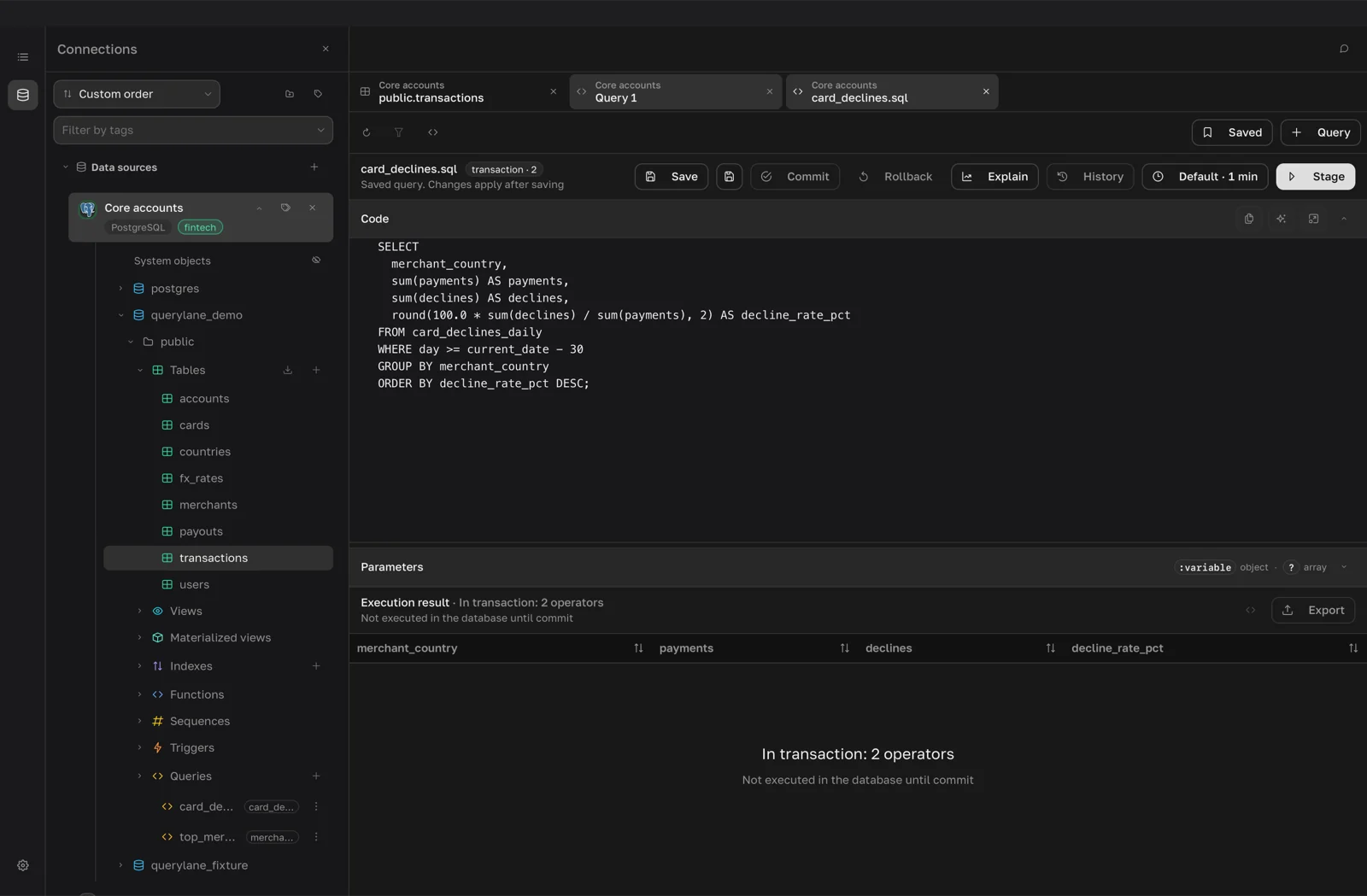
- Type the query in the Code panel.
- Click Run. The result appears below the editor, see Results and editing.
- To stop a long query, click Cancel. It replaces Run while the query runs.
The clock button sets the timeout for this tab: 30 sec to 1 hour, No limit or Custom…. Tabs set to the default use Default timeout from Settings > General.
History lists earlier runs of the tab with their status and duration. Open puts that run's query and parameters back into the editor.
Autocomplete
Suggestions appear as you type. For SQL they include keywords, SELECT template, JOIN template and GROUP BY template, tables, views and columns with their types. In a tab opened from a table, that table's columns come first. For MongoDB you get methods, find template, aggregate template, collections and fields.
Suggestions come from the cached schema. If a new table is missing, refresh the cache as described in Explorer.
Format a query
Click Format code in the Code panel header. SQL is formatted for the connection's dialect, MongoDB queries as JavaScript. Open in large window gives more room for long queries.
Use parameters
The Parameters panel under the code takes JSON:
- a JSON object for named parameters written as
:name; - a JSON array for positional parameters written as
?.
SELECT * FROM orders WHERE customer_id = :customer AND status = :status{ "customer": 42, "status": "paid" }QueryLane sends the values to the database as bound parameters, not as text pasted into the query. If a parameter has no value, the query stops with an error. In MongoDB queries the values are available as params.
Save a query
- Click Save.
- Enter a Name and, optionally, a Description, then click Save.
The query appears in the Queries group of its database or schema. When you edit a saved query, the tab shows changed until you click Save again. For a saved query, Save as next to Save stores a copy under a new name. A custom timeout is saved with the query.
Saved in the toolbar lists the connection's saved queries with a search field. There you can edit a description, delete a query or open Version history. QueryLane keeps up to 25 earlier versions of each query, and Restore brings one back.
Transactions
PostgreSQL, MySQL, SQLite and their compatible engines support staged transactions.
- Click Begin. The tab shows transaction · 0.
- Write a statement and click Stage, which replaces Run. QueryLane adds the statement to the transaction without running it. Repeat for each statement.
- Click Commit to send all staged statements to the database in one
BEGIN … COMMITblock, or Rollback to discard them. After a rollback the database is unchanged.
Nothing reaches the database before Commit, so staged statements return no rows and you cannot read intermediate results inside the transaction.
Explain a query
Click Explain. QueryLane opens a new tab named Plan: with the tab title and runs the plan query there:
| Engine | Plan query |
|---|---|
| PostgreSQL | EXPLAIN (FORMAT JSON) |
| SQLite | EXPLAIN QUERY PLAN |
| MySQL, ClickHouse, local files | EXPLAIN |
| MongoDB | .explain('executionStats') on a find or aggregate query |
A query that already starts with EXPLAIN runs as written. The plan appears as an ordinary result that you can read as a table, JSON or tree. There is no plan diagram. MongoDB runs the query to collect execution statistics.