
Step types
You choose the type in Step type when you add a step. Other steps use its data as ${step_id}, see Jobs and steps.
SQL query, MongoDB query, JavaScript code and plugin steps have an Execution timeout (ms) field. When it is empty, the step gets 30 seconds, and a plugin step gets 10 minutes.
SQL query
Runs SQL against a database connection.
- Data source: a PostgreSQL, MySQL, ClickHouse, SQLite or Local files connection.
- Database: another database on the same server. Leave Connection default to use the database of the connection. Not available for SQLite and Local files.
- Schema: for PostgreSQL, the schema that goes first in the search path.
Separate statements with semicolons. The rows of the last statement become the step result.
Tokens such as ${step_id} and ${variable} are sent to the driver as parameters, also inside string literals. After FROM, JOIN, INTO, UPDATE and similar keywords a token becomes a quoted identifier, so you can pass a table name. On PostgreSQL and ClickHouse an array is passed as a database array, for example WHERE id = ANY(${step_ids}) on PostgreSQL.
Run selection under Debug run runs only the selected SQL.
MongoDB query
Runs shell-style JavaScript against a MongoDB connection chosen in Data source. The code can use db, db.<collection>, db.getCollection(name) and ObjectId. Database picks another database for db.
A single expression such as db.orders.find({ status: 'paid' }) is returned as is. For longer code, end with return. Cursors are read into arrays.
JavaScript code
Runs local JavaScript with access to files, the network, processes and installed npm packages. The returned value is the step result. See JavaScript steps.
API request
Sends an HTTP(S) request. Fill in the Builder tab or edit the request as text on the JSON tab.
- Method:
GET,POST,PUT,PATCHorDELETE. - URL: the address, with tokens if needed:
https://api.example.com/orders?since=${since}. - Headers: add them with Add header.
- Request body (JSON): the request body.
- Response type:
autoreturns parsed JSON when it can and text otherwise;jsonandtextforce the format. - Timeout (ms): 30000 by default.
- Proxy profile: a proxy from Settings > Network.
A token that fills a whole JSON value keeps its type, so "items": "${step_rows}" sends an array. The step result is the response body. An error status such as 404 or 500 does not stop the job by itself.
CSV file
Reads a CSV file. On the Settings tab set the File path (or click Select file), Delimiter, Encoding and Has headers. The Preview tab shows the first rows. The result is an array of records.
JSON file
Reads a JSON file. Set the File path, the Encoding and, if you need part of the file, a JSONPath such as $.data[*]. The result is the parsed value or the JSONPath selection.
CSV and JSON steps only read files. To write a file, use a JavaScript step.
Chart
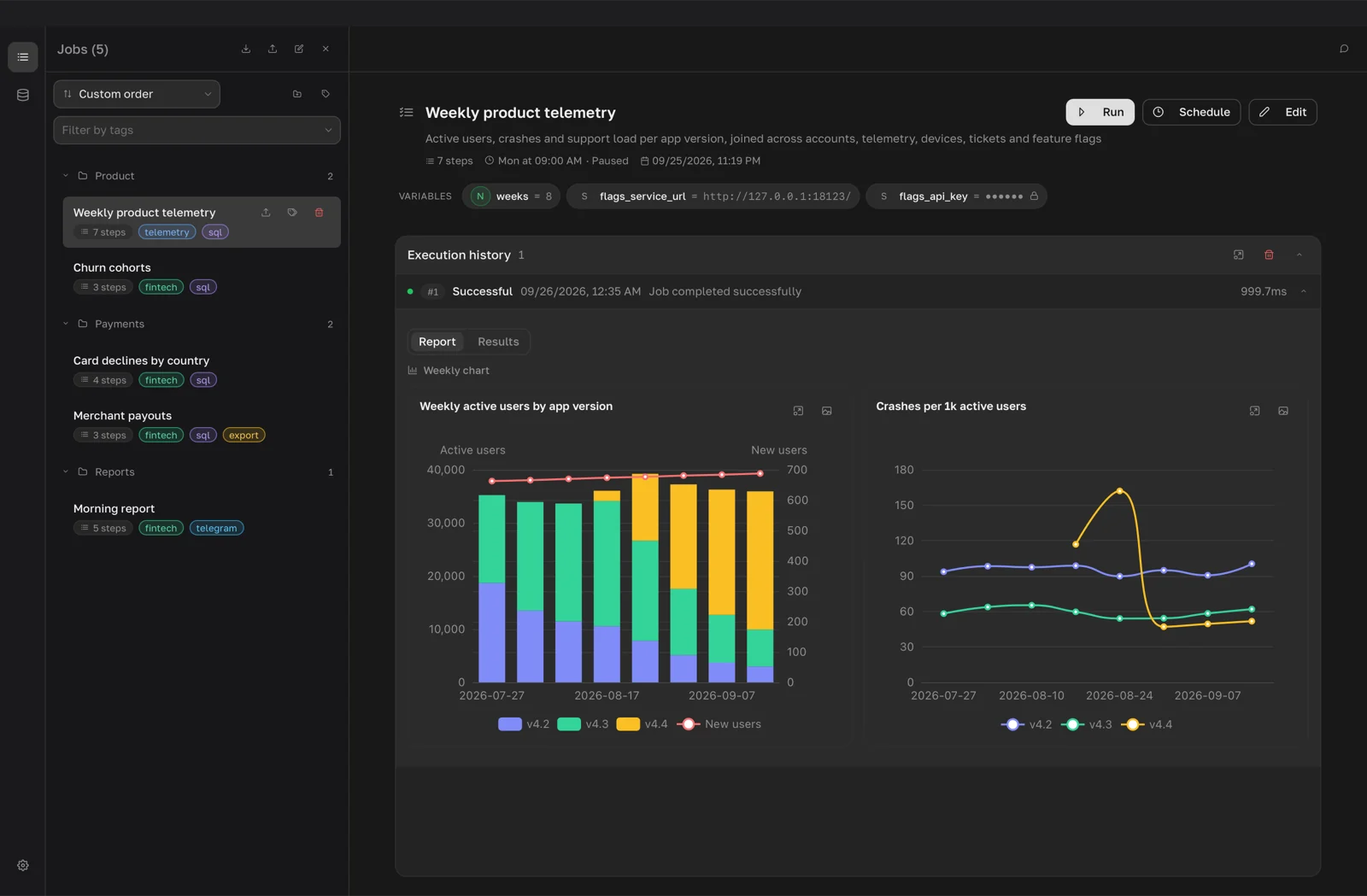
Builds charts from earlier step results. The code runs like a JavaScript step and returns an Apache ECharts option object, { title, option, height }, or an array of them. Pick a starting point in Template: Line over time, Bars by category, Share pie, Key number or Several charts.
The option must be plain JSON: functions are rejected, so use ECharts string formatters such as '{b}: {c}'. A step can return up to 24 charts. They appear in the Report tab of the run, see Charts.
Plugin steps
Installed plugins add their own steps to the Step type list. The step code is written in the language the plugin declares, for example Python for a browser automation plugin, and runs in the plugin's own environment.
- Plugin preset: a saved set of plugin settings, or Default settings.
- Step settings: values for this step only. They travel with the job; secrets stay in the plugin settings.
If the plugin is not installed, disabled or not set up, the editor says the step will not run and shows Enable, Set up or Open plugins to fix it.